Practice options trading with virtual cash
OptionsKing pairs an options paper trading simulator with lessons and a watchlist screener. Practice covered calls, cash-secured puts and defined-risk spreads, record what you expect, then review the outcome. Paper mode uses virtual money and never connects to a brokerage account. It is available on iPhone, iPad, Android and the web.
Download OptionsKing for iPhone and iPad or get OptionsKing for Android. You can also open the web app.
How a paper practice session works
- Start in Paper mode. Set up the virtual cash and shares you want to practice with. These determine which collateral-backed strategies are available.
- Learn or scan. Open a lesson's practice mission, or scan the tickers on your watchlist. Inspect the strike, expiration, premium, collateral and risk before choosing a candidate.
- Record your prediction. Say what you expect to happen to the position before you see the outcome.
- Review what happened. Follow the paper position, inspect the outcome review and compare it with your original expectation.
- Replay another price. Explore how a different stock price changes the result. Return to the relevant lesson when the outcome exposes a gap in your understanding.
The app tour shows the Learn, screening and Progress screens. The learning app guide explains the course and quizzes.
Practice the obligation, not just the premium
A covered call uses shares you hold in the paper account. A cash-secured put needs enough virtual cash to cover assignment. Spreads combine legs and show the applicable maximum loss. The goal is to understand what the position can do, including an unfavorable result.
For a simple illustrative put, a $50 strike with a $1 premium has a $49 break-even per share before fees. At assignment, one standard contract requires buying 100 shares for $5,000. The $100 premium does not remove the risk of the shares falling further. Try your own inputs in the put calculator.
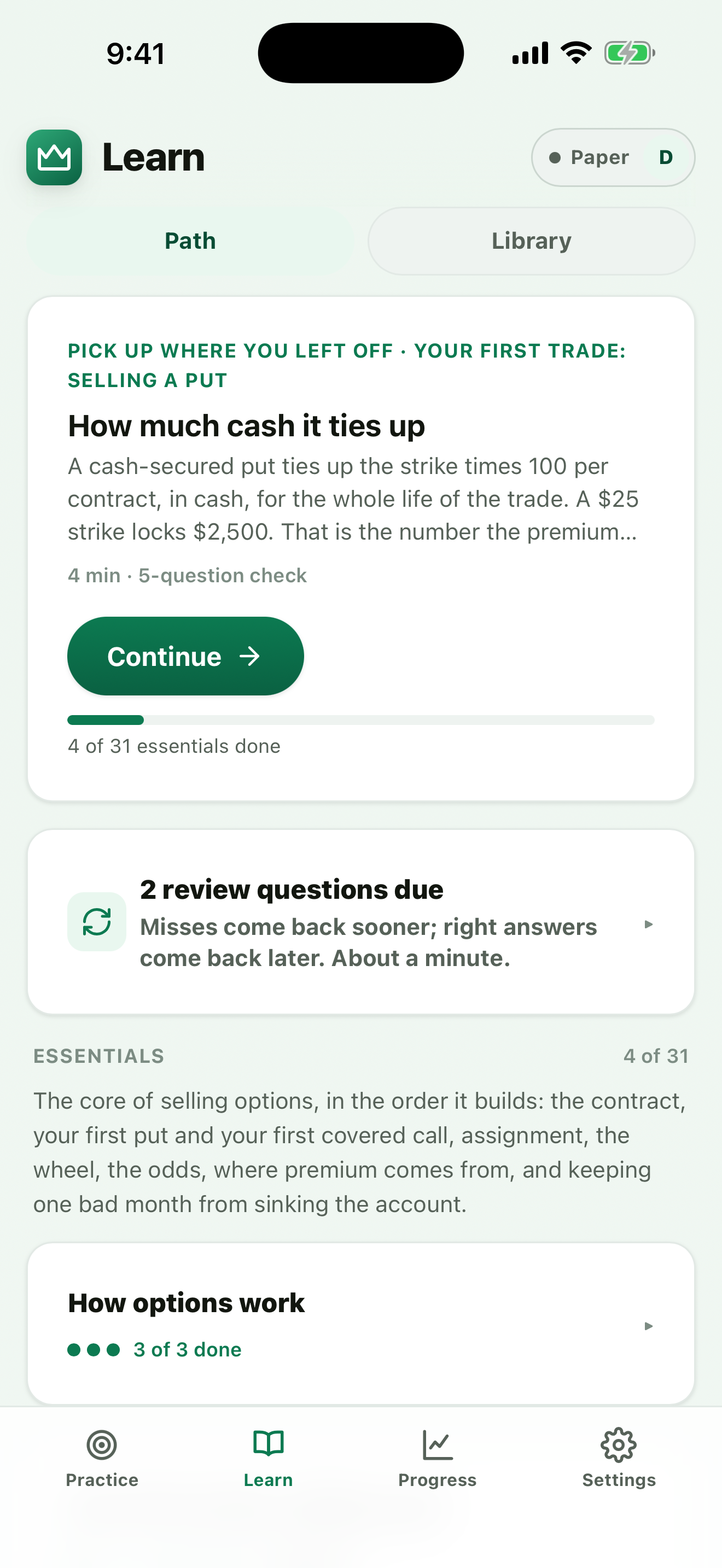
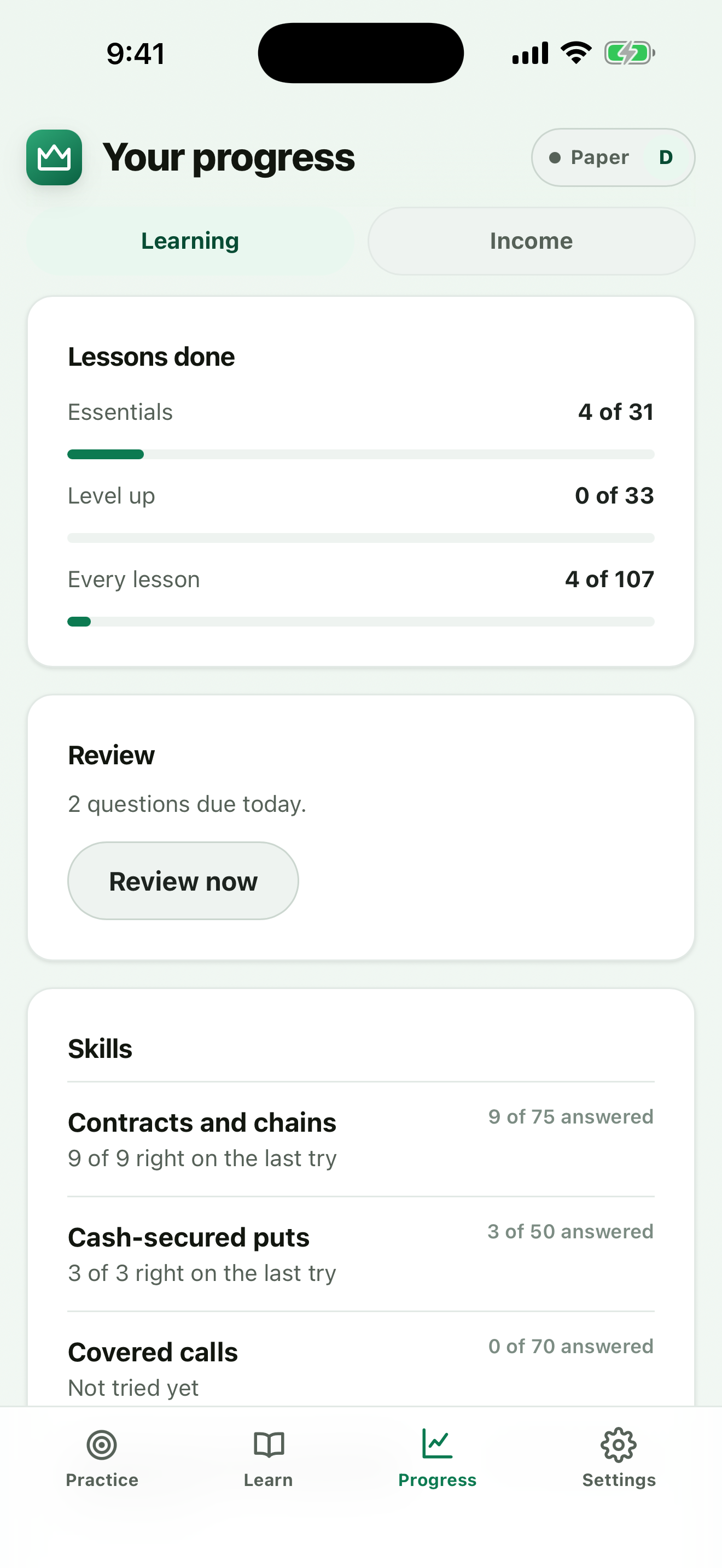
Screenshots use a demonstration account. Any balances or outcomes shown are simulated.
How the screener supports practice
Each ticker shows its best candidate per strategy, ordered by a deterministic confidence score from 0 to 100. Return on capital is a filter, not the ordering rule. There is no minimum score, and the score is not a probability of profit. A confirmed earnings date inside the expiry window excludes a candidate. Read how the app works for the boundaries.
What a paper result can tell you
It can help you check your understanding of a payoff, collateral requirement or assignment outcome. It cannot establish what a broker would have filled, remove market risk or prove a strategy profitable. Quotes are delayed by roughly 15 minutes. Current trading functionality is Paper; the app does not execute real trades.
Questions about the simulator
Does OptionsKing paper trading use real money?
No. Paper mode uses virtual cash and simulated positions. It never sends an order to a broker or deposits money. Simulated results do not predict real fills or investment results.
Which options strategies can I practice?
The app covers covered calls, cash-secured puts, the wheel and defined-risk spreads, including vertical spreads, iron condors and iron butterflies. Available candidates depend on the watchlist, collateral, filters and market data.
Are paper trading quotes real time?
No. Market quotes are delayed by roughly 15 minutes and labelled in the app. The simulator is for learning and reviewing decisions, not testing execution speed or guaranteeing a fill.
Is this an options backtesting tool?
No. Paper positions and outcome replays help you practice an individual decision. They are not a historical backtest of a strategy or evidence of future profitability.